


Blog

Chevy’s Top Tech Features for 2025

Chevy’s Top Tech Features for 2025

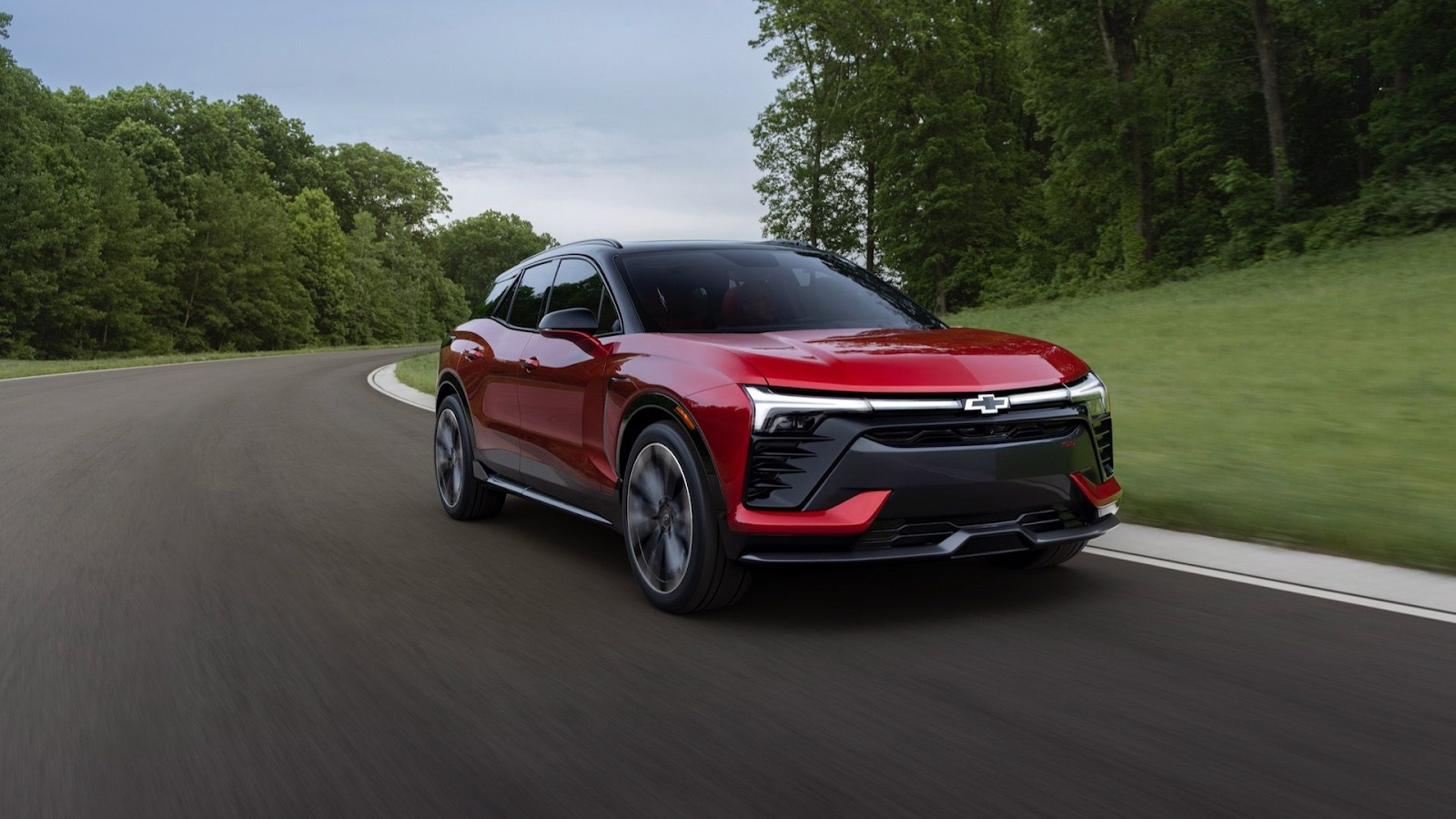
Chevrolet’s commitment to innovation shines in its 2025 lineup, delivering cutting-edge technology that enhances safety, connectivity, and driving ease. At Jet Chevrolet, part of the Dinsmore Auto Group, we’re proud to offer vehicles packed with Chevy technology that caters to modern drivers in Tacoma and Puyallup. From hands-free driving to intuitive infotainment, the Chevy tech features redefine the driving experience. In this listicle, I’ll highlight the standout Chevy tech features for 2025, answering key questions about Chevy Super Cruise, Chevy infotainment, Chevy safety tech, and more, while showcasing why Chevrolet leads the pack at our Federal Way dealership.

1. Chevy Super Cruise: Hands-Free Driving

Does Chevy offer hands-free driving technology? Yes, with Chevy Super Cruise, a pioneering Level 2+ advanced driver assistance system. What is Chevy Super Cruise, and how does it work? Super Cruise allows hands-free driving on over 400,000 miles of mapped highways, using LiDAR-mapped data, cameras, and radar to maintain lane discipline and adapt to traffic. It now supports trailering and automatic lane changes, as seen in a 2025 MotorTrend review. Available on models like the 2025 Tahoe, Suburban, and Silverado EV (LT and RST trims), Super Cruise is standard on premium trims like the Tahoe Premier and optional on others, starting at $25/month with OnStar One Super Cruise ($65/month for full features).

Unlike Ford’s BlueCruise or Toyota’s Traffic Jam Assist, Super Cruise offers broader highway coverage and smoother integration with Chevy safety tech, such as adaptive cruise control and lane-keep assist, making it a standout for long-distance drives. At Jet Chevrolet, we see Super Cruise as a game-changer for commuters and road-trippers.

2. Advanced Infotainment System

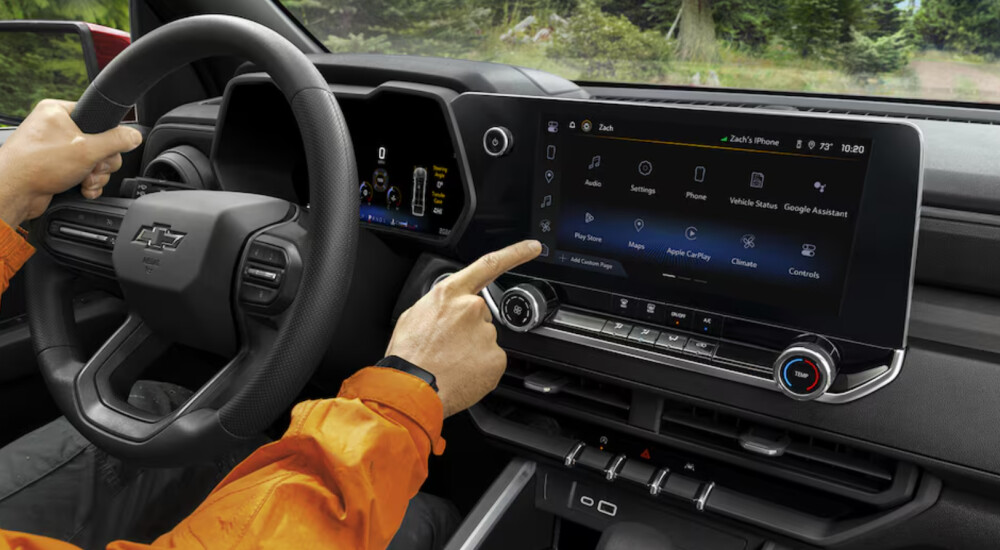
How does Chevy infotainment compare to Ford or Toyota? The Chevy infotainment system, powered by Chevrolet Infotainment 3, excels with its user-friendly interface and large touchscreens, ranging from 7 to 17.7 inches. The 2025 Tahoe and Suburban feature a class-leading 17.7-inch touchscreen, paired with Google built-in, Apple CarPlay, and Android Auto, Chevy compatibility (except on EVs like the Blazer EV and Equinox EV, which use GM’s proprietary system). A 2025 Motor1 review praises its clean design and quick response, noting minor drawbacks like the lack of a home button during CarPlay use.

Compared to Ford’s SYNC 4, which offers similar screen sizes but a busier interface, or Toyota’s Audio Multimedia system, which lags in responsiveness, Chevy’s system balances simplicity and functionality. In-car Wi-Fi Chevy via OnStar’s Connect Plus plan ($20/month) supports streaming and gaming, while six USB-C ports and wireless charging keep devices powered. This makes Chevy’s infotainment a top choice for tech-savvy drivers at Jet Chevrolet.
3. Seamless Smartphone Integration

Which Chevy models come with wireless Apple CarPlay? Most 2025 Chevy models, including the Silverado 1500, Tahoe, Suburban, Traverse, Trax, and Colorado, offer standard Apple CarPlay and Android Auto, Chevy integration, except for the Blazer EV, Equinox EV, and Silverado EV LT/RST, which rely on Google-based systems. The Silverado EV Work Truck trim, however, includes wireless CarPlay, as noted by GM Authority. Connecting is simple: pair your phone via Bluetooth in the park, tap the CarPlay icon, and follow prompts, per Chevrolet’s guide.

This seamless integration allows access to navigation (Apple Maps, Google Maps), music (Spotify, Apple Music), and hands-free calls via Siri, enhancing safety and convenience. Compared to Toyota, which restricts wireless CarPlay to higher trims, or Ford, which matches Chevy’s broad availability, Chevy’s consistent offering across non-EV models ensures accessibility for Puyallup drivers shopping at Jet Chevrolet.

4. Comprehensive Safety Technologies

Chevy safety is a cornerstone of the 2025 lineup, with the Chevy Safety Assist suite standard on all models. This includes automatic emergency braking with pedestrian and cyclist detection, lane-keep assist, blind-spot monitoring, and rear cross-traffic alert. New for 2025, the Tahoe and Suburban feature an Interior Motion Detection system, alerting owners to movement inside a parked vehicle, ideal for families. A J.D. Power report ranks Chevy’s safety suite among the best for reliability and effectiveness.

Compared to Ford’s Co-Pilot360, which offers similar features but fewer standard inclusions, or Toyota’s Safety Sense 3.0, which lacks Chevy’s cyclist detection, Chevy safety tech provides robust protection. The optional Chevy Super Cruise further enhances safety with semi-autonomous driving, making Chevy a leader for safety-conscious buyers at Dinsmore Auto Group.

5. Digital Cockpit and Connectivity

The Chevy digital cockpit transforms the driver experience with customizable displays and connected services. The 2025 Silverado 1500 LT trim features a 17.7-inch infotainment screen and an 11-inch digital gauge cluster, while the Tahoe and Suburban pair these with a 15-inch head-up display. The myChevrolet app integrates with Chevy OnStar, offering remote start, diagnostics, and charger location services for EVs, with plans starting at $10/month for basic connectivity.

In-car Wi-Fi Chevy, powered by a 5G LTE hotspot, supports multiple devices, outpacing Toyota’s 4G-based Wi-Fi in speed. Ford’s SYNC Connect matches Chevy’s Wi-Fi but requires separate subscriptions for advanced features. The Chevy touchscreen interface is intuitive, with analog climate controls for ease, as highlighted in a 2025 Car and Driver review, ensuring drivers stay connected and informed at Jet Chevrolet.
6. EV-Specific Technology Innovations

Chevrolet’s electric vehicles, like the 2025 Blazer EV and Silverado EV, showcase Chevy technology tailored for EVs. The Blazer EV’s 17.7-inch touchscreen with Google built-in offers native navigation and battery optimization, though it lacks CarPlay, per GM Authority. The Silverado EV’s vehicle-to-home (V2H) capability, paired with GM Energy’s PowerShift Charger, powers homes during outages, a feature absent in Ford’s F-150 Lightning or Toyota’s bZ4X. Both EVs support 350 kW DC fast-charging, adding 100 miles in 10 minutes, and integrate with 250,000 public chargers, including Tesla Superchargers via a GM-approved NACS adapter.

These EV-specific advancements, combined with Chevy safety tech like Super Cruise, position Chevy as a leader in electric innovation, available for test drives at Jet Chevrolet.

Why Choose Jet Chevrolet for Chevy Tech?

The 2025 Chevy lineup redefines automotive technology with Chevy Super Cruise, Chevy infotainment, Chevy safety tech, and the Chevy digital cockpit, offering unmatched connectivity and safety for Tacoma and Puyallup drivers. At Jet Chevrolet, we provide a curated selection of tech-forward models, from the family-friendly Tahoe to the electric Silverado EV. As part of the Dinsmore Auto Group, we offer transparent pricing, flexible financing, and expert guidance on Chevy tech features. With Chevy technology leading the way, now’s the perfect time to upgrade your drive at Jet Chevrolet. Visit us!

Instagram

YouTube

Facebook

LinkedIn

*Penned by AI, polished by humans

Recommended Posts

A mechanic running diagnostics on an idling commercial fleet vehicles

The Cost of Idling: What Fleet Owners Should Know About Fuel, Engine Hours and Work Vehicles

A work truck doesn't have to be moving to consume fuel. Service vehicles can spend time idling between appointments, at job sites, while crews complete paperwork, or while drivers wait for their next assignment. Some of that idle time may be necessary. Some may not be. For businesses operating multiple vehicles every day, understanding fleet idling is one more way to understand where fuel is being used. Why Work Vehicles Idle Not all idling is avoidable. Depending on the business and vehicle, an engine may remain running while: Waiting at a job site Completing paperwork Loading or unloading Waiting for another crew member Taking a break Staging between appointments Idle-reduction efforts should focus on parked or stationary idling that can reasonably be avoided, not time spent stopped in traffic or situations where stationary engine power is needed to perform the vehicle’s primary work functions. The useful distinction for a fleet manager is between operationally necessary idling and unnecessary parked idling. Idling Uses Fuel An internal-combustion engine continues consuming fuel while it runs, even when the vehicle isn't moving. The exact amount depends on the vehicle, engine, operating conditions, accessory use, and other factors. That's why a universal “idling costs your business $X per year” claim isn't particularly useful. What is universally true is simpler: reducing unnecessary idling reduces fuel consumed during that unnecessary idle time. Measure Before Setting a Fleet Policy Before creating an anti-idling policy, determine whether unnecessary idling is actually a meaningful issue in your fleet. Depending on the vehicles and technology available, businesses may be able to review idle-time data through a telematics platform. If you don't have telematics, driver discussions and operational observations can still help identify why vehicles are sitting with their engines running. Then ask a more useful question: Why is this vehicle idling? If the answer is “because equipment requires it,” the solution may be different from a vehicle idling while someone completes paperwork. Understanding the reason matters more than setting an arbitrary target. Look at the Entire Workday Reducing unnecessary idling shouldn't make the job harder or interfere with safe vehicle operation. Instead, look for practical opportunities. Could paperwork be completed inside the customer's building rather than in a running vehicle? Is a vehicle being left running during loading/unloading when it doesn't need to be? Are crews waiting for long periods because of inefficient scheduling? Does a particular job require vehicle-powered equipment? These questions can reveal whether the issue is driver behavior, vehicle configuration, dispatching, equipment needs, or simply an unavoidable part of the work. Vehicle Selection Can Be Part of the Conversation Different businesses use their vehicles differently. An HVAC technician covering residential service calls has different operating requirements than a construction crew towing equipment or a delivery business making frequent stops. When replacing a commercial vehicle, fuel economy is one factor to consider alongside: Payload requirements Towing needs Cargo space Upfit weight Route type Annual mileage Engine and drivetrain options Job-site requirements No single specification determines the best fleet vehicle. The right choice depends on how the vehicle will actually be used. Planning your next commercial vehicle purchase? Connect with the Jet Chevrolet team at (253) 336-4216 to discuss the requirements of your business. Final Thoughts Not every minute of fleet idling is waste. Some jobs require vehicles to remain running. The better goal is to understand why your vehicles idle and identify unnecessary engine-on time where practical. For businesses with several vehicles, even a basic review of idle patterns can provide useful information about how the fleet operates.

When Your Business Outgrows a One-Size-Fits-All Commercial Fleet

When a business is small, having work trucks that can handle a little bit of everything can make sense. The same pickup might haul materials one day, tow equipment the next, and carry a supervisor between job sites later in the week. As the business grows, those roles can become more distinct. Crews may take on different types of work, service areas may expand, and certain vehicles may spend most of their time performing one specific job. At that point, it may be worth asking whether every vehicle in the fleet still needs to do everything. Why Versatility Works for Smaller Fleets Versatile vehicles give a small business flexibility. When there are only a few trucks available, being able to move them between employees and jobs can be useful. It can also simplify fleet decisions. Instead of maintaining several highly specialized vehicle types, a business can use similar trucks across different assignments. But growth can change that equation. A vehicle that's capable of several tasks isn't necessarily the vehicle every role requires. Look at the Roles Within Your Fleet Rather than looking at the fleet as one group of vehicles, consider what each truck actually does during a typical week. A growing contractor might have vehicles serving very different purposes: Crew vehicles traveling between active job sites Supervisor trucks used primarily for site visits and meetings Trucks regularly towing equipment or trailers Service vehicles handling smaller calls throughout the day Vehicles transporting materials or supplies These roles don't automatically require different vehicles. But identifying them can reveal where the fleet has become more specialized even if the vehicles haven't. When Dedicated Vehicles May Make Sense Specialization becomes worth considering when a vehicle repeatedly performs the same type of work. For example, if one truck regularly pulls an equipment trailer, the requirements for that vehicle may differ from a supervisor's truck that spends most of its time traveling between sites. Likewise, a service technician making multiple stops each day may have different vehicle needs than a crew transporting equipment to a long-term project. The goal isn't to create a different vehicle for every employee. It's to recognize when a particular role has become consistent enough that choosing a vehicle around that role may be practical. There Are Advantages to Keeping Vehicles Similar A more specialized fleet isn't always the answer. Using similar vehicles can make it easier to move drivers between trucks when schedules change or a vehicle is unavailable. Drivers may also be more familiar with controls and operating characteristics when vehicles are similarly equipped. For some businesses, that flexibility is more valuable than having vehicles tailored to individual roles. That's why fleet specialization should follow the needs of the business rather than growth alone. Watch for Changes in the Business The vehicles that worked when a company had five employees may not reflect what it needs with 20. New services, larger projects, additional crews, wider service territories, and different equipment can all change how company vehicles are used. Instead of automatically replacing an existing truck with a similar one, use the purchase as an opportunity to look at the role that vehicle will fill now. Ask what it will do most often, who will use it, where it will operate, and whether its responsibilities are different from the rest of the fleet. Build the Fleet Around the Work There is no ideal mix of commercial vehicles that applies to every growing business. Some companies benefit from keeping most of their vehicles interchangeable. Others reach a point where different crews and responsibilities call for different types or configurations of work vehicles. Many fleets will use a combination of both approaches. The important part is making those decisions based on how the business actually operates rather than assuming every new vehicle should match the last one. Is your growing business adding or replacing work vehicles? Connect with the Jet Chevrolet team at (253) 336-4216 to discuss your commercial vehicle needs. Do More. Save More. Experience MORE. Final Thoughts Growth doesn't necessarily mean a business needs more types of vehicles. But it can change the jobs those vehicles are expected to perform. Taking a closer look at the roles within your fleet can help determine where versatility still makes sense and where a more dedicated vehicle may better match the work. As your business changes, your fleet should continue to reflect the work your crews actually do.

A Shared Commercial Fleet Vehicle

Take-Home Work Vehicles vs. Shared Fleet Vehicles: Which Approach Fits Your Business?

As a trade business grows, an important fleet decision isn't just which vehicles to buy. It's also who uses them and where they go at the end of the day. Some businesses assign vehicles to employees who take them home, while others keep company vehicles at the shop for crews to use as needed. Neither approach is automatically better. The right setup depends on how your crews work, where jobs are located, and how the business manages its fleet. When Take-Home Work Vehicles Make Sense Take-home vehicles can make sense for plumbers, HVAC technicians, electricians, and other field-service employees who regularly travel directly to their first appointment instead of reporting to a central location. An assigned vehicle also gives an employee consistent access to the same truck or van each day. However, businesses should establish clear policies around personal use, authorized drivers, fuel, parking, maintenance reporting, and after-hours use. Insurance and tax considerations may also apply, so businesses should consult the appropriate professionals about their specific situation. When Keeping Vehicles at the Business Makes Sense Keeping vehicles at a central location may work better when crews start and end their day at the shop, load materials each morning, or use different vehicles depending on the day's work. It can also give managers regular access to the vehicles for inspections and help keep vehicle use centered around business operations. The tradeoff is that employees generally need to report to the business before heading to their first job, which may not fit every service model. Assigned vs. Shared Vehicles Even when vehicles stay at the business, companies need to decide whether each employee or crew has an assigned vehicle or whether vehicles are shared. Assigned vehicles provide consistency and can make responsibility for reporting issues easier to define. Shared vehicles provide flexibility when schedules, crews, or job requirements change. For shared vehicles, clear procedures for reporting damage, fuel levels, maintenance concerns, and other issues between drivers become especially important. Consider Your Service Area Geography can also influence the decision. A Western Washington business may have technicians living and working throughout Federal Way, Tacoma, Kent, Auburn, Seattle, Bellevue, and surrounding communities. Requiring every employee to report to one location creates a different operating pattern than allowing certain technicians to travel directly to their first job. Which approach works better depends on employee locations, service territories, dispatching, and the type of work being performed. Establish Clear Vehicle-Use Policies Regardless of where company vehicles spend the night, employees should understand expectations around: Authorized drivers and personal use Fuel purchasing Accident and damage reporting Maintenance concerns After-hours use Parking and vehicle security Policies will vary by business, but having clear expectations becomes increasingly important as more vehicles and drivers are added. Reevaluate as Your Fleet Grows A system that works with three work trucks may not make sense with fifteen. As a business grows, periodically reconsider which employees need dedicated vehicles, whether some vehicles can be shared, and whether the current approach still fits how crews operate. Planning your next commercial vehicle purchase? Connect with the Jet Chevrolet team at (253) 336-4216 to discuss your business and fleet needs. Why Western Washington Businesses Work With Jet Chevrolet Located in Federal Way along the I-5 corridor, Jet Chevrolet works with commercial customers throughout Western Washington, from the South Sound to the greater Seattle area. As part of Dinsmore Auto Group, Jet Chevrolet is locally owned and family operated. Our commercial team works with businesses evaluating work trucks and commercial vehicle options for their operations. Do More. Save More. Experience MORE. Connect with the Jet Chevrolet team at (253) 336-4216 to discuss your next commercial vehicle. Final Thoughts There isn't one correct way to assign company vehicles. Take-home, assigned, and shared vehicles can each make sense depending on how a business operates. The right approach comes down to where crews start their day, how vehicles are used, and how much flexibility the business needs as its fleet grows.